One Label Was Scaled Differently
An isolated 98.4% coordinate contraction inside an otherwise uniform 24-up layout produced asymmetrical edge margins while twenty-three companions trimmed cleanly.
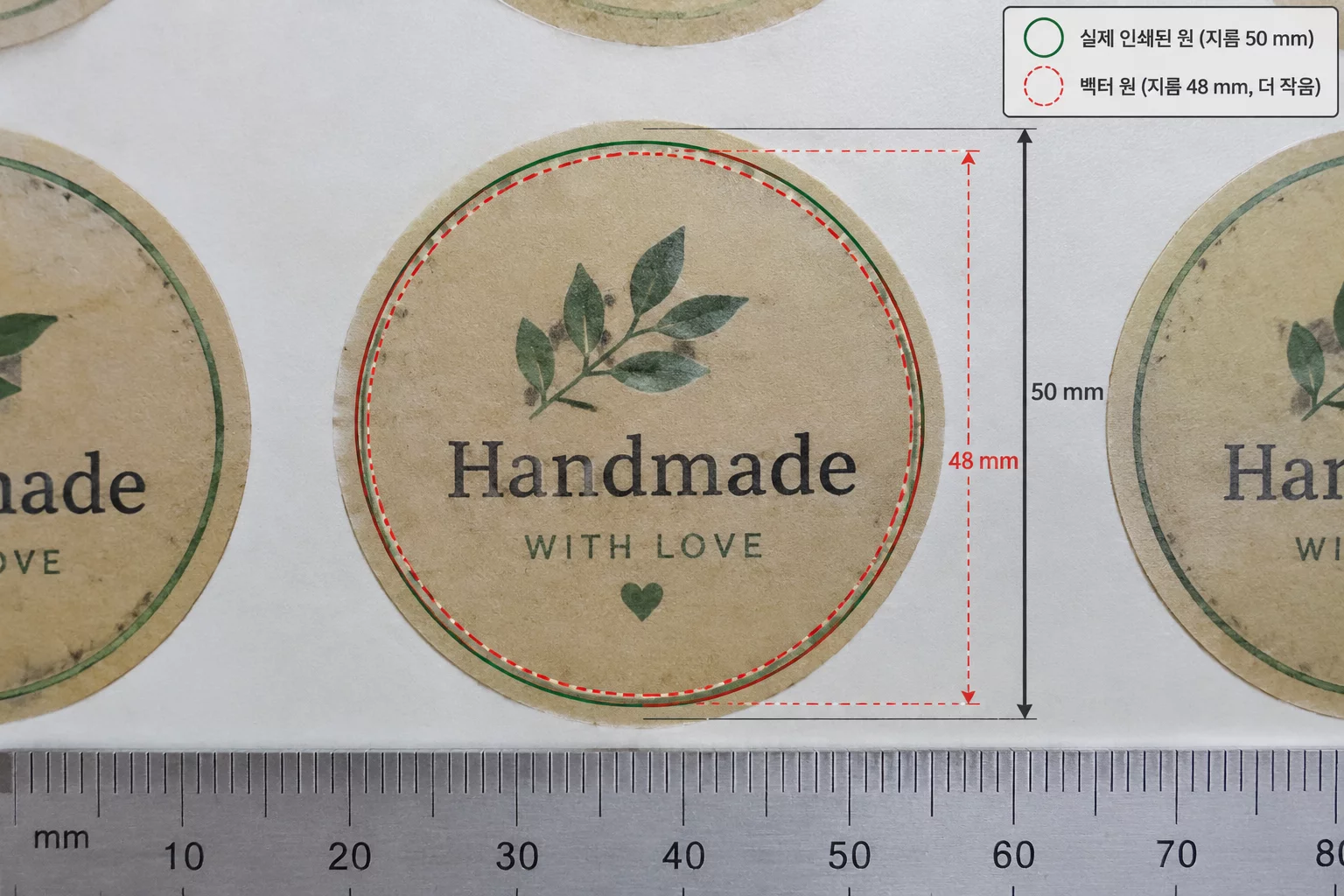
Localized Dimensional Drift on Uniform Sheets
A production run of 24 circular labels per letter sheet exhibited a perplexing defect during final inspection: twenty-three units displayed concentric 1.20 mm margins, whereas label slot R3C2 showed an obvious crescent sliver along its lower right boundary.
Optical registration marks read normally across all quadrants, ruling out mechanical sheet skew or carriage stepper errors. Coordinate analysis inside the software workspace revealed that during an accidental manual transform click, the graphic fill of label R3C2 was scaled down to 49.20 mm while its cutting contour remained locked at 50.00 mm. The 0.80 mm deficit went unnoticed on screen because the object center point was nudged off the origin by 0.40 mm during the same gesture.
Audit Sheet Duplication Rules
Prevent accidental individual transforms by using linked object arrays and automated multi-up step-and-repeat routines.
Dimensional Discrepancy Breakdown
| Parameter | Observed Vector Coordinate | Physical Trim Result |
|---|---|---|
| Graphic Outer Diameter (Standard) | 50.00 mm (100.00%) | Balanced Inset |
| Defective Unit Diameter (Slot R3C2) | 49.20 mm (98.40%) | White Edge Bleed |
| Vector Cutline Diameter (All Units) | 47.60 mm uniform | Target Maintained |
| Center Point Coincidence Offset | X: +0.28 mm / Y: -0.31 mm | Asymmetrical Shift |
| Minimum Bleed Margin Remaining | 0.39 mm (nominal 1.20 mm) | Tolerance Failed |
Root Cause in Canvas Layer Interactions
When duplicating multiple labels on a tight page, designers often employ box selections or direct mouse dragging across nearby elements. In this specific scenario, the operator intended to nudge row 3 downward by a fractional millimetre to clear the optical registration mark exclusion boundary. Instead of marquee-selecting the entire grouped unit, an unlinked raster layer inside slot R3C2 caught a corner bounding handle.
The vector cut boundary sat on a separate locked layer directly above the artwork. Because the vector remained locked, the mouse drag altered only the underlying image dimensions without throwing any warning dialog. The reduced diameter instantly shrunk the intentional 1.20 mm bleed envelope down to an intolerable 0.39 mm on the southeastern edge.
- Ungrouped vector cutlines must never float independently of artwork layers during manual layout adjustments.
- Numerical dimension palettes reveal hidden 0.1 mm deviations that visual screen previews easily mask.
- Gang sheets should always be populated using programmatic repeat arrays rather than manual copy-paste clusters.
A single altered scale percentage compromises an entire batch even when mechanical registration markers read with absolute mathematical precision. Checking the unified transform inspector before sending the print job eliminates hours of wasted material.
Hardware plotters faithfully execute vector cut paths down to tenth-of-a-millimeter coordinates. When one label fails out of twenty-four, the error originates in an accidental canvas transform, not the blade tracking.
Common Scale Discrepancy Inquiries
If elements are not strictly grouped as compound objects, accidental clicks on individual corner control handles can resize only the artwork layer while leaving adjacent labels and the cutting path unchanged.
Optical registration sensors scan external sheet marks located at the paper corners to evaluate global stretch and skew. The sensors do not analyze individual artwork boundaries inside the sheet matrix.
Select all graphic objects on the sheet simultaneously and inspect the width and height input fields. If the dimensions display mixed values or blank boxes, at least one object has strayed from the designated scale.